EUR and GBP accounts, now in your journal
If you trade a prop-firm account funded in euros or pounds, the journal used to turn you away at the door: uploads were USD-only, and any non-dollar statement got rejected. That stops today. Multi-currency support (Phase 1) lets you bring EUR and GBP accounts into your journal, with the correct symbol following every trade.
At a glance
- Upload a EUR or GBP MetaTrader statement — it's accepted, not rejected.
- Every trade is tagged with its own account currency and stored exactly as your broker reported it.
- The right symbol — $, € or £ — shows up everywhere that trade's money appears.
- No FX conversion and no cross-currency mixing: your numbers stay honest.
💶 Upload a EUR or GBP statement
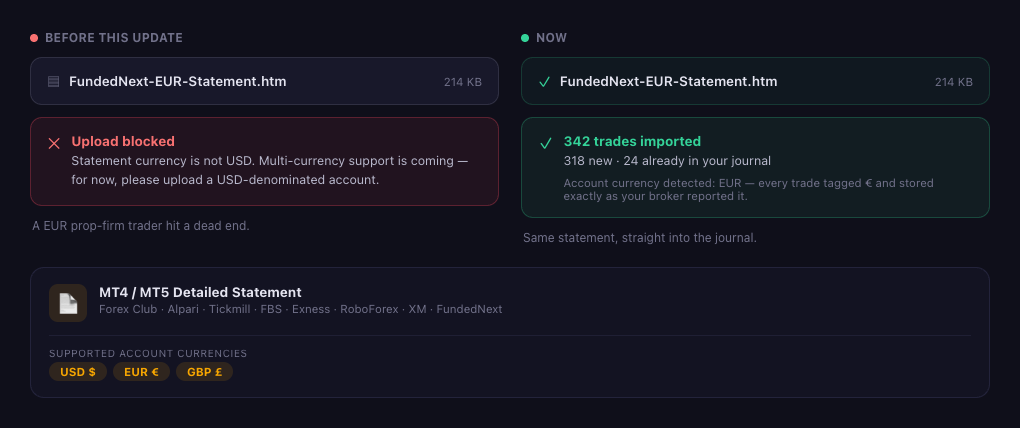
The importer always read your account currency straight from the statement header — it just used to throw it away and block anything that wasn't USD. Now, if your statement is denominated in USD, EUR or GBP, it's accepted and that currency is stored on every trade it contains.
Why it matters: prop trading on EUR and GBP accounts is everywhere. A one-line "not USD" rejection was the difference between "this journal is for me" and "this journal can't see my trades." Now your FundedNext, forex-broker or MT4 / MT5 EUR/GBP statement lands in the same place as everything else.
💱 The right symbol, everywhere
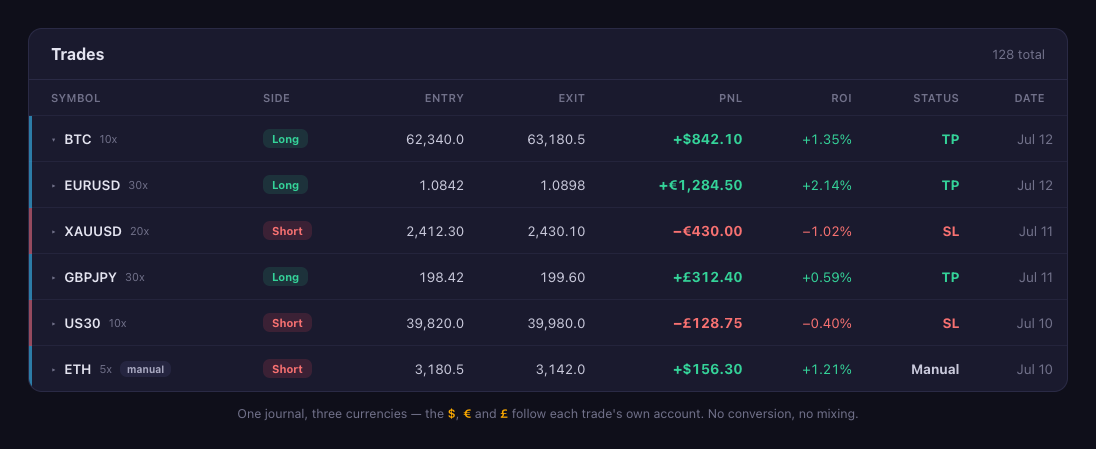
Once a trade knows its currency, that currency follows it: the trades table, Latest Trades, the calendar's daily and weekly P&L, and the profit/loss badge on every trade chart all render the trade's own symbol. A USD sync stays in dollars; a EUR upload shows euros; a GBP account shows pounds — in the same journal, side by side.
Why it matters: a euro is not a dollar. Painting every number with a $ quietly lies about a EUR account. Showing the real symbol keeps your journal trustworthy at a glance — and because there's no conversion, the figure you see is the exact figure your broker reported.
🃏 Your share card, in your currency
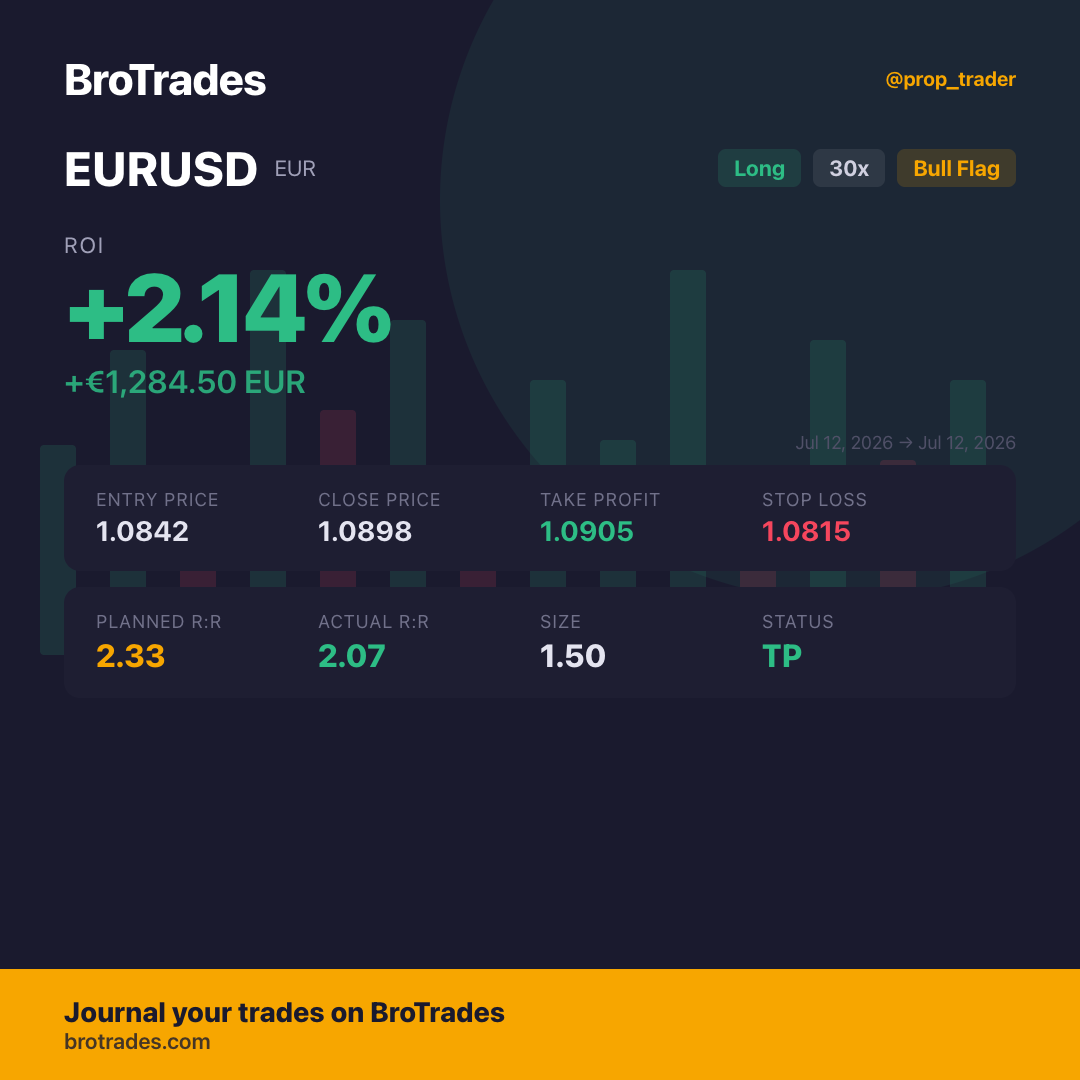
The trade card you share carries the currency too — the amount reads +€1,284.50 EUR, and the label under your symbol shows the account currency. (Sharing a USD trade? You'll notice the card now says USD where it used to say USDT Perpetual — same card, honest label.)
Why it matters: your wins are yours, in the currency you actually trade. No more explaining why your euro trade is flexing a dollar sign.
🧭 What Phase 1 is — and isn't (yet)
This first release is deliberately about one thing: getting EUR and GBP trades into your journal with the right symbol. So, on purpose:
- No currency conversion. A EUR trade stays in EUR; a USD trade stays in USD. We never apply an exchange rate — the numbers are your broker's, untouched.
- No mixing across currencies. The journal won't add €100 and $100 into one meaningless total.
- Coming next (Phase 2): a currency switcher for dashboards that hold more than one currency, and a currency picker when you add a trade by hand. Exchange-synced trades (Bybit / Binance) stay in USD, since they settle in USDT.
Summary
Trade euros or pounds? Head to your journal, upload your MT4 / MT5 statement, and your EUR or GBP trades land right alongside the rest — each with its own $, € or £. No conversion, no mixing. Want the full changelog? See the release notes.